Buyer’s guide

Best Home Laser Printer: Top Picks for Black-and-White, Color and All-in-One

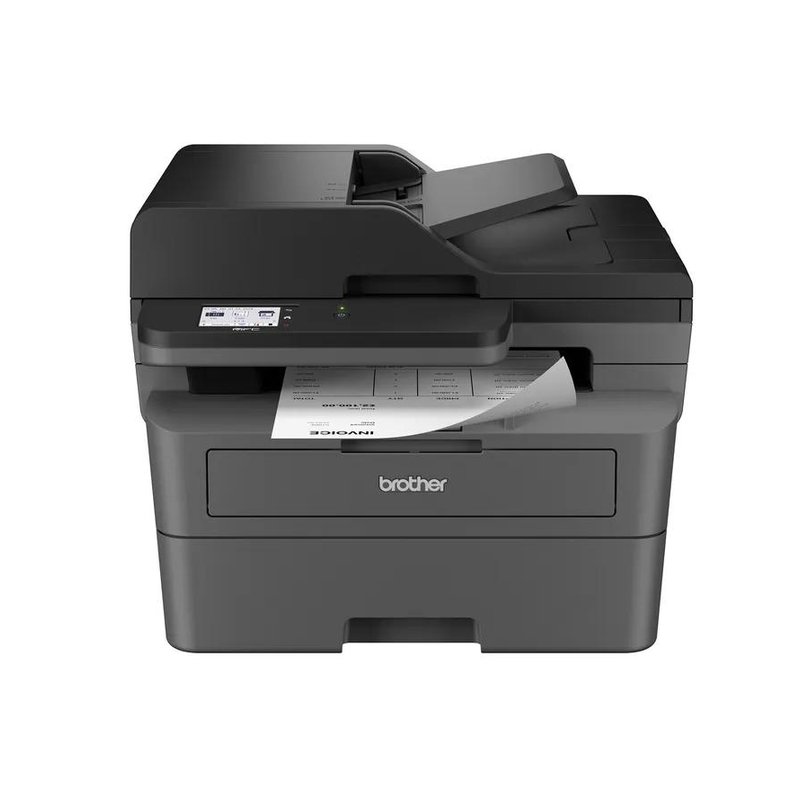
For most homes, the best laser printer is a black-and-white all-in-one with automatic two-sided printing and a document feeder. Our best overall pick is the Brother MFC-L2820DW; if you need color, start with the Brother HL-L3280CDW.

Brother MFC-L2820DW laser printer
Our #1 pick

Brother MFC-L2820DW

Mid-range price range

PrintsBlack only, auto 2-sided
SpeedUp to 34 ppm
Scan & copyFlatbed + 50-sheet feeder, fax

See ratings & reviews ↗ · All 7 picks

Top picks at a glance

The best home laser printers, by what you print

Seven printers that cover how most homes actually print, from a few pages a month to a home business. Each one is here for a reason, and each card says who should skip it.

Best overall#1
Brother MFC-L2820DW laser printer

Brother MFC-L2820DW

Mid-range price range

Black-and-white all-in-one with a 50-sheet document feeder, fax and automatic two-sided printing. Brother rates it at up to 34 pages per minute.

View details ›
Best color#2
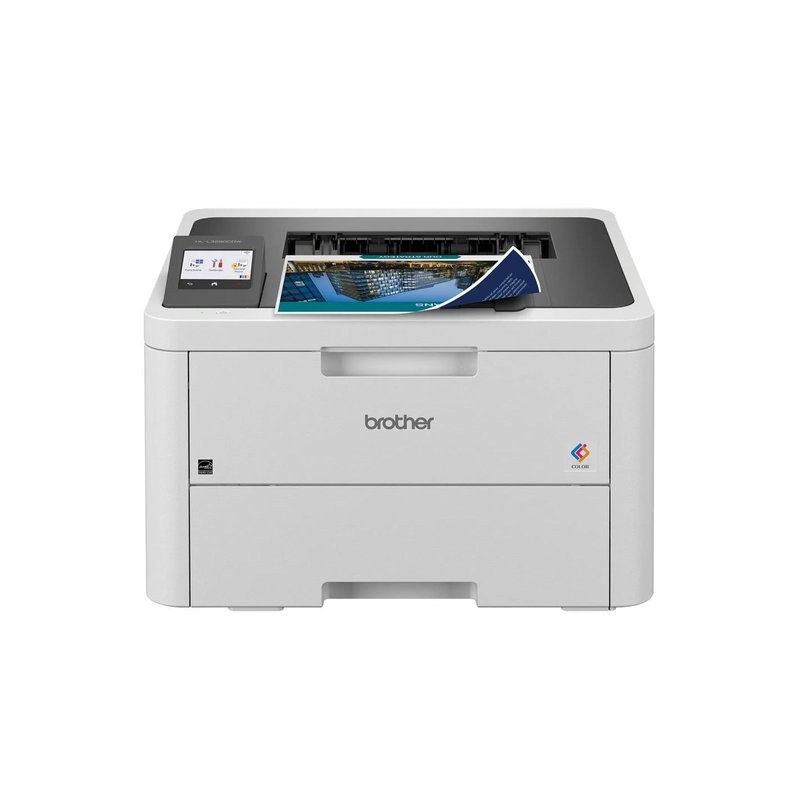
Brother HL-L3280CDW laser printer

Brother HL-L3280CDW

Mid-range price range

Color pages when you need them, auto two-sided printing and generous 1,000-page starter cartridges, in a print-only box.

View details ›
Best color all-in-one#3
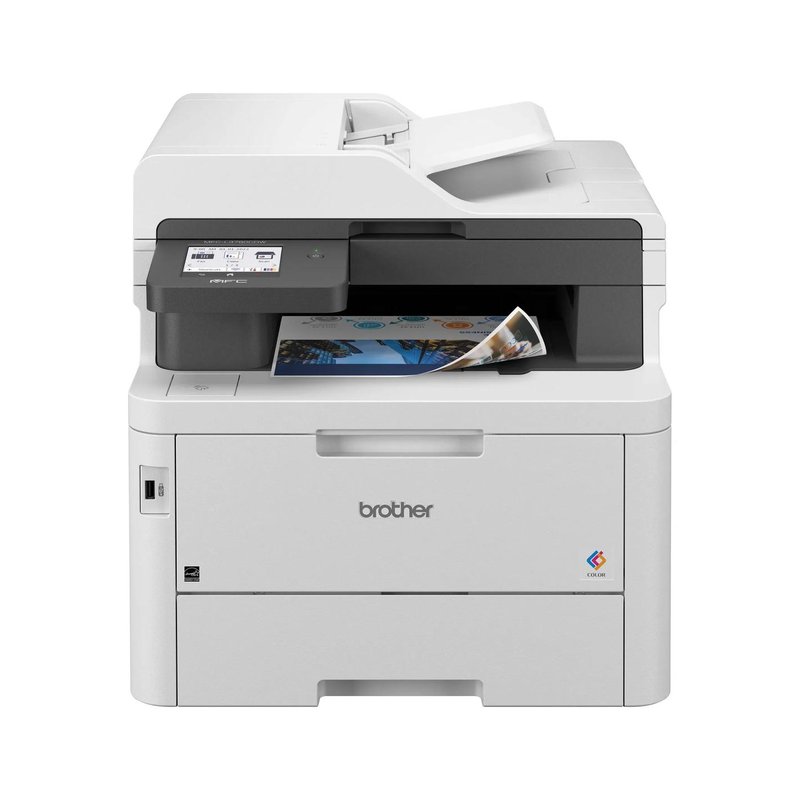
Brother MFC-L3780CDW laser printer

Brother MFC-L3780CDW

Premium price range

Scans both sides of a page in one pass, faxes, and takes Brother’s super-high-yield color toner.

View details ›
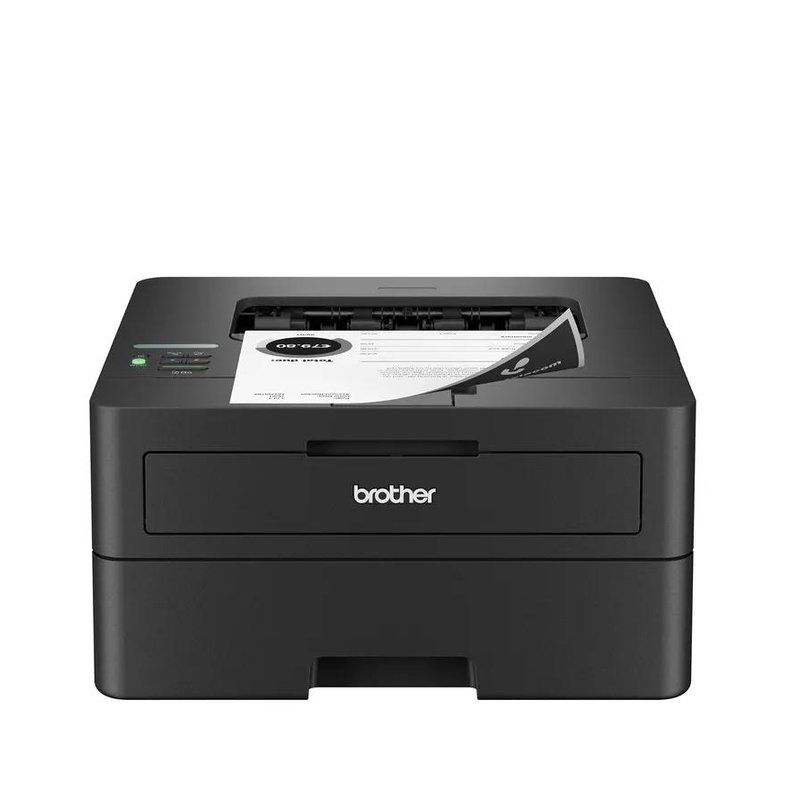
Best print-only#4
Brother HL-L2460DW laser printer

Brother HL-L2460DW

Budget price range

A compact black-and-white printer with auto two-sided printing, Wi-Fi and Ethernet at a Budget-tier price.

View details ›
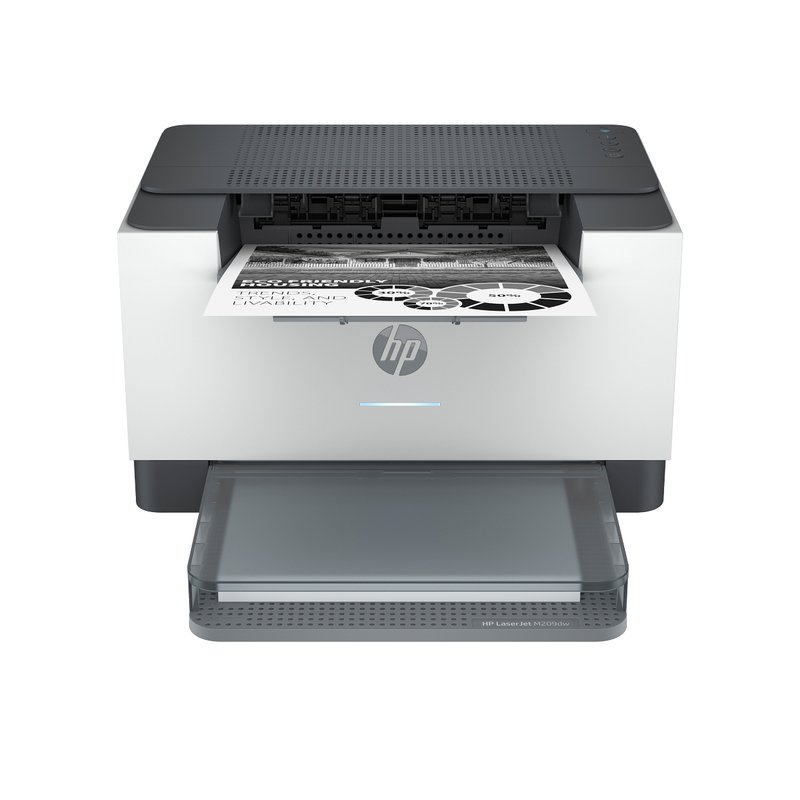
Best budget#5
HP LaserJet M209dw laser printer

HP LaserJet M209dw

Budget price range

A Budget-tier laser with automatic two-sided printing. Note HP’s cartridge-chip rules.

View details ›
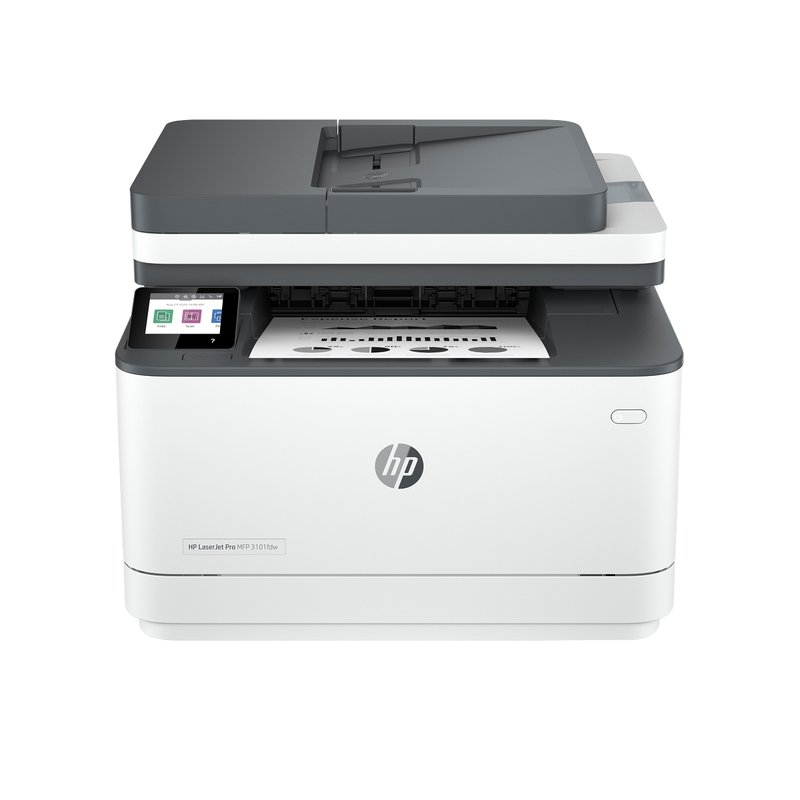
Best HP all-in-one#6
HP LaserJet Pro MFP 3101fdw laser printer

HP LaserJet Pro MFP 3101fdw

Mid-range price range

Print, scan, copy and fax with a touchscreen and high-yield toner HP rates at about 4,000 pages.

View details ›
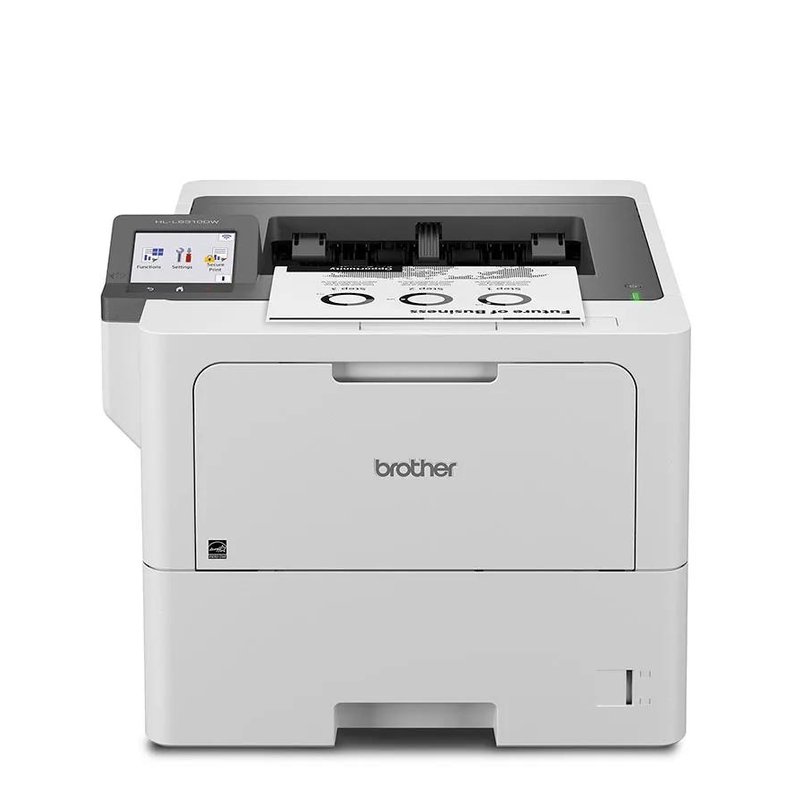
Best for heavy printing#7
Brother HL-L6310DW laser printer

Brother HL-L6310DW

Premium price range

Business-class speed and paper capacity, shipped with a full 6,000-page cartridge instead of a starter.

View details ›

Prices change often, so we show a price range instead of a number. Budget is under $200, Mid-range $200–$400, Premium over $400, based on typical list prices.

Find your match

Start from how you print, not the brand

Pick the line that sounds most like your home.

Brother HL-L2460DW laser printer

I only print black-and-white documents

Start with

Brother HL-L2460DW

Letters, forms, tickets and homework. A mono laser usually costs least per page for text, and toner does not dry out between jobs.

Brother HL-L3280CDW laser printer

I want color for school and work projects

Start with

Brother HL-L3280CDW

Charts, flyers and project pages. A color laser handles them well; for photos, an inkjet is still the better tool.

Brother MFC-L2820DW laser printer

I scan and copy as much as I print

Start with

Brother MFC-L2820DW

A document feeder saves you lifting the lid for every page. Decide whether you need fax and two-sided scanning.

Brother HL-L2405W laser printer

I want the lowest upfront cost

Start with

Brother HL-L2405W

Cheap lasers still print sharp text. The trade-offs are usually small trays, starter toner and manual two-sided printing.

Brother MFC-L3780CDW laser printer

I run a business from home

Start with

Brother MFC-L3780CDW

Higher monthly volume, two-sided scanning and bigger trays matter more here than the purchase price.

HP LaserJet M209dw laser printer

I print a few pages a month

Start with

HP LaserJet M209dw

This is where lasers shine: there is no ink to dry out, so the printer is ready when you finally need it.

Our picks in detail

What each printer does well, and who should skip it

Specifications and toner yields come from each manufacturer; fit notes draw on independent reviews and manufacturer guidance. We have not tested or used these printers ourselves. How we pick.

Best overall#1

Brother MFC-L2820DW

For most homes that print mainly black-and-white documents, this is the one to start with. It prints, scans, copies and faxes, prints both sides of the page on its own, and has a 50-sheet document feeder for multi-page scans. Brother rates it at up to 34 pages per minute.

Why it stands out

  • Brother rates it at up to 34 pages per minute, with automatic two-sided printing and a 2.7-inch color touchscreen.
  • High-yield TN830XL toner is rated at 3,000 pages, and the drum is a separate part Brother rates at about 15,000 pages.
  • Prints from phones and laptops over Wi-Fi, Ethernet or USB, with AirPrint and Mopria built in; Brother’s toner subscription is optional.
PrintsBlack only, auto 2-sided
SpeedUp to 34 ppm
Scan & copyFlatbed + 50-sheet feeder, fax
Toner (rated)TN830XL: 3,000 pages
ConnectWi-Fi, Ethernet, USB · AirPrint, Mopria

Good fit if

  • You print letters, forms, homework and tickets, mostly in black.
  • You want to scan or copy multi-page documents without lifting the lid each time.
  • You still send the odd fax, or want the option.

Skip it if

  • You need color — look at the Brother MFC-L3780CDW instead.
  • You need to scan both sides of a page in one pass: the feeder here is one-sided.
  • You never scan or copy — the print-only HL-L2460DW costs less.

The box includes a starter cartridge that Brother rates at about 700 pages, so budget for a full-size toner fairly soon. Brother also sells this printer as the MFC-L2820DWXL bundle with extra toner in the box.

Best color#2

Brother HL-L3280CDW

The color printer for a home that mostly prints documents but wants color when it matters. It prints both sides automatically, has a 2.7-inch touchscreen and fast wired and wireless networking, and Brother rates it at up to 27 pages per minute in color and black.

Why it stands out

  • High-yield TN229XL cartridges are rated at 3,000 pages black and 2,300 pages per color.
  • Starter cartridges in the box are rated at about 1,000 pages each, more than many printers include.
  • The drum, belt and waste-toner box are separate parts, so a worn part does not mean a new printer.
PrintsColor (LED), auto 2-sided
SpeedUp to 27 ppm
Scan & copyPrint only
Toner (rated)TN229XL: 3,000 black / 2,300 color
ConnectWi-Fi, Gigabit Ethernet, USB · AirPrint, Mopria

Good fit if

  • You print school projects, charts and flyers as well as black documents.
  • You want color without an inkjet’s drying-out problem.
  • You scan with your phone or do not need a scanner.

Skip it if

  • You print photos often — Consumer Reports says lasers do worse than inkjets on photos.
  • You need to scan or copy; the MFC-L3780CDW adds that.

Strictly speaking this is an LED printer: Brother lists its print technology as “Digital Color LED” with “laser quality output.” It uses toner cartridges and a drum like the laser models on this page.

Best color all-in-one#3

Brother MFC-L3780CDW

The all-in-one to pick if you want color and you scan a lot. Its 50-sheet document feeder scans both sides of a page in a single pass, it faxes, and it takes Brother’s super-high-yield TN229XXL toner. Forbes Vetted names it its best home office printer.

Why it stands out

  • Brother rates it at up to 31 pages per minute and lists a 3.5-inch touchscreen.
  • Starter toner in the box is rated at about 2,300 pages black and 1,200 per color.
  • Super-high-yield TN229XXL cartridges are rated at 4,500 pages black and 4,000 pages per color.
PrintsColor (LED), auto 2-sided
SpeedUp to 31 ppm
Scan & copySingle-pass 2-sided scan, 50-sheet feeder, fax
Toner (rated)TN229XXL: 4,500 black / 4,000 color
ConnectWi-Fi, Gigabit Ethernet, USB, NFC · AirPrint, Mopria

Good fit if

  • You scan stacks of two-sided paperwork, receipts or school forms.
  • You print in color every week.
  • You want a USB port on the front and an optional second paper tray.

Skip it if

  • Desk space is tight: Brother lists it at about 48 pounds.
  • You rarely scan; the print-only HL-L3280CDW costs much less.

Like Brother’s other color models here, Brother lists it as a Digital Color LED printer with laser-quality output.

Best print-only#4

Brother HL-L2460DW

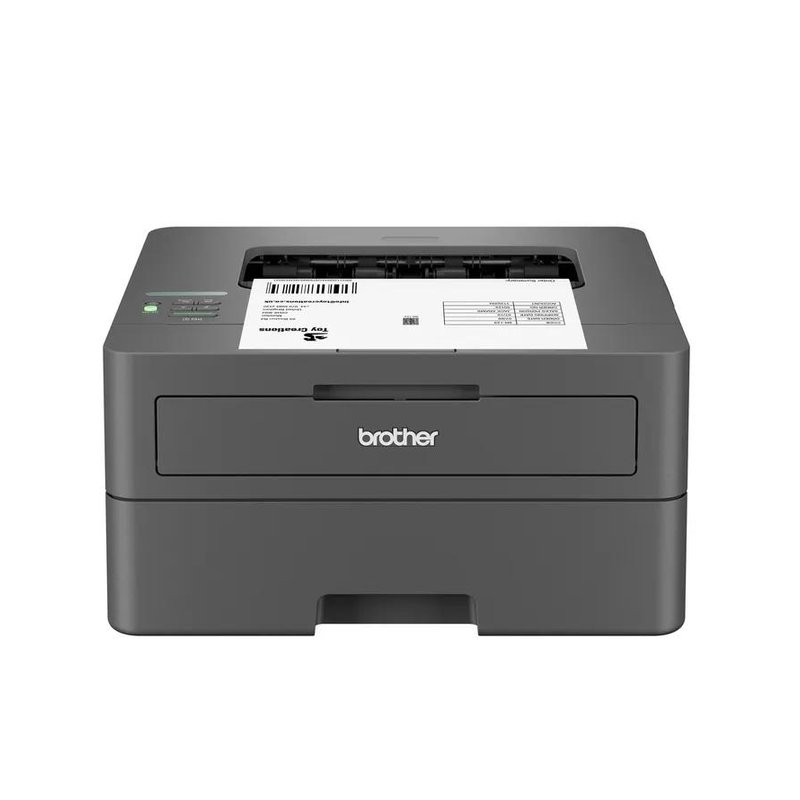
A compact, print-only black-and-white laser that does the basics properly: automatic two-sided printing, Wi-Fi, Ethernet and a 250-sheet tray. If you never scan or copy, it covers everyday home printing for less than an all-in-one.

Why it stands out

  • Brother rates it at up to 36 pages per minute with a first page out in under 8.5 seconds.
  • Takes the same TN830 and TN830XL toner as Brother’s compact all-in-ones, rated at 1,200 and 3,000 pages.
  • A one-sheet manual slot takes heavier paper (up to 61 lb bond) than the main tray.
PrintsBlack only, auto 2-sided
SpeedUp to 36 ppm
Scan & copyPrint only
Toner (rated)TN830XL: 3,000 pages
ConnectWi-Fi, Ethernet, USB · AirPrint, Mopria

Good fit if

  • You print in black and white and scan with your phone when you need to.
  • You want auto two-sided printing at a Budget-tier price.
  • Your printer will sit on a shelf and see light, irregular use.

Skip it if

  • You want to copy or scan on the printer itself.
  • You need color pages for school projects or flyers.

The HL-L2460DW XL version ships with a standard and a high-yield cartridge in the box instead of a starter cartridge, which Brother rates at about 4,200 pages in total.

Best budget#5

HP LaserJet M209dw

A small, low-cost black-and-white laser with automatic two-sided printing, Wi-Fi and Ethernet. It is the standard version, not the discontinued M209dwe “HP+” model, and HP’s page for it lists no account or internet requirement for printing.

Why it stands out

  • HP rates it at up to 30 pages per minute.
  • HP 134X high-yield toner is rated at about 2,400 pages.
  • HP lists AirPrint, Mopria and Wi-Fi Direct.
PrintsBlack only, auto 2-sided
SpeedUp to 30 ppm
Scan & copyPrint only
Toner (rated)HP 134X: 2,400 pages
ConnectWi-Fi, Ethernet, USB · AirPrint, Mopria

Good fit if

  • You want a Budget-tier laser with auto two-sided printing.
  • You print small batches of black-and-white pages.

Skip it if

  • You want to use third-party toner: HP says the printer works only with cartridges that have a new or reused HP chip.
  • You fill big print jobs; the input tray holds 150 sheets.
Best HP all-in-one#6

HP LaserJet Pro MFP 3101fdw

HP’s black-and-white all-in-one for a home office: print, scan, copy and fax, a 2.7-inch touchscreen and automatic two-sided printing. HP rates it at up to 35 pages per minute.

Why it stands out

  • HP 138X high-yield toner is rated at about 4,000 pages.
  • A 50-sheet document feeder and flatbed scanner, according to HP’s specifications.
  • Dual-band Wi-Fi, Ethernet and USB, with AirPrint and Mopria.
PrintsBlack only, auto 2-sided
SpeedUp to 35 ppm
Scan & copyFlatbed + 50-sheet feeder, fax
Toner (rated)HP 138X: 4,000 pages
ConnectWi-Fi, Ethernet, USB · AirPrint, Mopria

Good fit if

  • You prefer HP’s app and want fax in the box.
  • You print a few hundred pages a month.

Skip it if

  • You plan to use third-party toner: HP says it is intended to work only with cartridges that have a new or reused HP chip.
  • You need two-sided scanning in one pass.
Best for heavy printing#7

Brother HL-L6310DW

A business-class black-and-white printer for heavy home printing. Brother rates it at up to 52 pages per minute and ships it with a full 6,000-page cartridge rather than a starter. Consumer Reports picked it as a basic printer for frequent printing, as reported by SlashGear.

Why it stands out

  • A 520-sheet tray plus a 100-sheet multipurpose tray, expandable with optional trays.
  • Takes TN920 toner up to the TN920UXXL, which Brother rates at 18,000 pages.
  • Brother recommends up to 12,000 pages a month, far above home models.
PrintsBlack only, auto 2-sided
SpeedUp to 52 ppm
Scan & copyPrint only
Toner (rated)TN920UXXL: 18,000 pages
ConnectWi-Fi, Gigabit Ethernet, USB, NFC · AirPrint, Mopria

Good fit if

  • You run a busy home business, print shipping labels and invoices daily, or share one printer across a family.
  • You want to refill paper and toner as rarely as possible.

Skip it if

  • You print a few pages a week — you would be paying for capacity you never use.
  • You need to scan or copy, or need color.

Side by side

Compare the specs

Scroll sideways on a phone. Toner figures are each maker’s rated yield for its highest-capacity cartridge listed.

Laser printerBest forPrintsSpeedScan & copyToner (rated)Price range
Brother MFC-L2820DWBest overallBlack only, auto 2-sidedUp to 34 ppmFlatbed + 50-sheet feeder, faxTN830XL: 3,000 pagesMid-rangeDetails ›
Brother HL-L3280CDWBest colorColor (LED), auto 2-sidedUp to 27 ppmPrint onlyTN229XL: 3,000 black / 2,300 colorMid-rangeDetails ›
Brother MFC-L3780CDWBest color all-in-oneColor (LED), auto 2-sidedUp to 31 ppmSingle-pass 2-sided scan, 50-sheet feeder, faxTN229XXL: 4,500 black / 4,000 colorPremiumDetails ›
Brother HL-L2460DWBest print-onlyBlack only, auto 2-sidedUp to 36 ppmPrint onlyTN830XL: 3,000 pagesBudgetDetails ›
HP LaserJet M209dwBest budgetBlack only, auto 2-sidedUp to 30 ppmPrint onlyHP 134X: 2,400 pagesBudgetDetails ›
HP LaserJet Pro MFP 3101fdwBest HP all-in-oneBlack only, auto 2-sidedUp to 35 ppmFlatbed + 50-sheet feeder, faxHP 138X: 4,000 pagesMid-rangeDetails ›
Brother HL-L6310DWBest for heavy printingBlack only, auto 2-sidedUp to 52 ppmPrint onlyTN920UXXL: 18,000 pagesPremiumDetails ›

Want to see more than our seven picks?

Browse more home laser printers ›

Not sure where to start?

Most homes print mostly text and scan now and then. The Brother MFC-L2820DW prints, scans, copies and faxes, prints both sides automatically, and Brother’s toner subscription is optional. Specs and what is in the box are on the product page.

How to choose

Five things that matter more than the brand

Most regret comes from buying color you never use, a starter cartridge you did not expect, or cartridge rules you did not read.

01

Black only, or color?

Most home printing is text, and a black-and-white laser is cheaper to buy and run. Color lasers need four cartridges; buy one if you print charts, flyers or school projects often.

02

Print-only or all-in-one?

If you scan with your phone, a print-only model saves money and space. If you copy or scan multi-page documents, pay for a document feeder, and for single-pass two-sided scanning if you scan a lot.

03

Judge toner by the high-yield cartridge

Many printers ship with a starter cartridge that holds less toner. Compare the high-yield cartridge’s rated pages, which makers measure with the ISO/IEC 19752 and 19798 test methods.

04

Auto two-sided printing and easy connections

Automatic duplex printing saves paper without flipping pages by hand. AirPrint and Mopria let Apple and Android devices print without installing drivers.

05

Read the cartridge rules

Several HP LaserJets use dynamic security and may refuse cartridges with non-HP chips. Brother recommends its own toner but has said its firmware updates do not block third-party cartridges.

FAQ

Home laser printers: questions answered

Straight answers to what people ask before buying, drawn from manufacturer documentation, independent reviews and consumer agencies.

Laser or inkjet?5

Is a laser printer good for home use?

Yes, if you mostly print text. HP says lasers cost more upfront but less per page, and that toner does not dry out the way inkjet ink can. Consumer Reports adds that lasers use no maintenance ink, which inkjets spend on cleaning cycles. If you print color photos often, an inkjet is still the better choice.

Is a laser printer cheaper to run than an inkjet?

Usually, for black-and-white pages. TechRadar says laser cost per page is often 50% or more lower than inkjet, especially in black and white. Ink tank printers such as Epson EcoTank can be cheaper still per page, but they are inkjets, and HP warns inkjet ink can dry out with irregular use.

Does toner dry out if I rarely print?

No. Toner is a dry powder, and Brother UK says it does not dry out and keeps its print quality after extended storage. Inkjet ink is different: HP warns it can dry out if the printer is not used regularly. That makes a laser a good fit for people who print a few pages a month.

Can a laser printer print photos?

A color laser can print pictures on plain or laser-safe paper, but it is not a photo printer. Consumer Reports says lasers do not perform as well as inkjets on graphics and photos, and Brother warns against putting inkjet paper in its lasers. For frequent photo printing, buy an inkjet.

Should I get a laser or an ink tank printer?

Get a laser if you print mostly text, print irregularly, or want fast, smudge-free pages. Consider an ink tank if you print a lot of color or photos and print often enough to keep the ink flowing. Epson claims its EcoTank ink costs about a third of a cent per ISO page.

Choosing the right type5

Do I need a color laser printer?

Only if you print color regularly. A black-and-white laser is cheaper to buy, uses one cartridge and keeps text pages cheap. A color laser adds three more cartridges, and Digital Trends puts typical color laser pages at around 12 to 20 cents, versus a few cents for black.

Should I buy a print-only laser or an all-in-one?

Buy print-only if you rarely scan, or are happy scanning with a phone app. Buy an all-in-one if you copy or scan paperwork often: a document feeder handles multi-page stacks, and models such as the Brother MFC-L3780CDW scan both sides of a page in one pass.

What is duplex printing, and do I need it?

Duplex means printing on both sides of the sheet. HP describes manual duplex as flipping and reinserting the paper yourself, and automatic duplex as the printer doing it without help. Automatic duplex saves paper and is standard on most picks here; the Brother HL-L2405W is manual only.

Do I need an automatic document feeder?

You need one if you scan or copy more than one page at a time. A feeder pulls a stack through for you, while a flatbed needs one page at a time. Check whether it scans both sides in one pass: the Brother MFC-L2820DW’s 50-sheet feeder scans one side only.

How fast does a home laser printer need to be?

For most homes, speed matters less than it sounds. Every pick here is rated at 26 pages per minute or more, and Brother quotes first pages in under 8.5 seconds on its compact mono models. Pay for 40-plus pages per minute only if you print long jobs daily.

Know what you need? Our best overall pick prints, scans, copies and faxes.See our #1 pick
Toner and running costs5

How much does a laser printer cost per page?

Estimates vary by printer and cartridge. Digital Trends puts typical monochrome laser pages at 2 to 3 cents in one article and 3 to 5 cents in another, PCWorld says about 6 cents for cheap mono lasers, and Epson cites 2.5 cents; Digital Trends puts color laser pages at around 12 to 20 cents. Divide a cartridge’s price by its rated yield to compare models.

What is a starter toner cartridge?

It is the cartridge that comes in the box, and it may hold less toner than a full one. HP says introductory cartridges may print less than replacements. Brother rates the starter in its compact mono lasers at about 700 pages, against 1,200 for a standard TN830.

What does toner yield mean?

It is the number of pages a cartridge is rated to print under a standard test. HP says mono yields use ISO/IEC 19752 and color yields ISO/IEC 19798. Xerox calls yield a comparison figure, not a prediction: pages with more coverage, like graphics, use toner faster.

What is a drum unit, and when do I replace it?

The drum carries the toner image to the paper. Brother sells it separately from the toner and says one drum lasts through several cartridges; the DR830 is rated at about 15,000 pages. Brother notes the page count varies with paper type and print job size, so replace it when the printer reports the drum is near its end.

Are high-yield toner cartridges worth it?

Usually, if you print steadily. Brother says its TN830XL gives lower per-page costs than the standard TN830 and rates it at 3,000 pages versus 1,200. If you print only a handful of pages a year, a standard cartridge ties up less money.

Want toner that goes further? Our color pick ships with 1,000-page starter cartridges.Check toner options
Subscriptions and cartridge rules5

Do I need a subscription to use a laser printer?

No. Brother’s Refresh EZ Print plan is optional, and HP says it no longer enrolls new customers in Instant Ink for toner on its LaserJet 100, 200, 3000 and 4000 series. You can buy cartridges as you need them for every printer on this page.

What is HP+, and why do some models end in “e”?

HP+ printers carry an “e” in the model name and, HP says, require an HP account, an internet connection and original HP supplies for the printer’s life. HP has discontinued its HP+ LaserJets such as the M209dwe. Our HP picks are the standard versions.

Can I use third-party toner?

It depends on the brand. HP says printers such as the LaserJet M209dw work only with cartridges that have a new or reused HP chip and may block others after firmware updates. Brother recommends its own toner but has said its firmware updates do not block third-party cartridges.

Does third-party toner void my warranty?

Not by itself, in the US. The FTC says companies generally cannot void a warranty just because you used another company’s part, under the Magnuson-Moss Warranty Act. They can refuse to cover damage that part causes, and Brother’s warranty excludes damage from non-Brother supplies.

Brother, HP or Canon: which is best for home?

There is no single winner. Brother leads our picks because its home lasers pair low list prices with separate drums and high-yield toner, and Brother says its firmware does not block third-party toner. HP offers polished apps but uses dynamic security on its LaserJets. Canon says several imageCLASS lines carry a three-year limited warranty.

Curious how owners get on with toner and setup? Read what buyers of our #1 pick say.Read buyer reviews
Setup and compatibility5

Will a laser printer work with my Mac or iPhone?

Yes, if it supports AirPrint, as every pick here does. Apple says AirPrint prints from Apple devices without downloading drivers, as long as the device is on the same network. Brother notes that Mac printing on its models works through AirPrint and that it does not supply Mac drivers.

Will it work with Android or a Chromebook?

Yes. Mopria says most Android devices already include a Mopria print service, so Mopria-certified printers work without an app. Google says Chromebooks print to network or USB printers, mainly over IPP, and do not support Bluetooth printing.

Wi-Fi, Ethernet or USB: which should I use?

Use Wi-Fi if the printer serves several devices, Ethernet if it sits near your router and you want a steady connection, and USB for a single computer. Check the specs: the Brother HL-L2405W has Wi-Fi and USB but no Ethernet port.

Can a home laser print cardstock, labels and envelopes?

Usually, through the manual feed slot. Brother’s compact mono models take up to 61 lb bond paper through the slot, and Brother advises feeding one sheet at a time. Use laser-rated labels: Avery says inkjet labels cannot withstand a laser printer’s heat.

How much space does a home laser printer need?

More than an inkjet of the same price. Brother lists the HL-L2460DW at about 14 inches wide and deep and 7 inches tall, while its color all-in-one MFC-L3780CDW is about 18 inches wide and nearly 16 inches tall. Leave room to open the front cover and pull the tray.

Short on space? Browse compact laser printers for home.Browse compact lasers
Safety, power and noise5

Are laser printers safe to use at home?

Studies so far suggest occasional home printing in a ventilated room is unlikely to cause concern, though reviews differ and the human evidence is limited. Studies have measured ultrafine particles while lasers print, and a 2007 study found 17 of 62 office printers were high emitters. A 2020 review in Indoor Air judged the health risk small compared with outdoor air pollution. Use the printer in a ventilated room.

Where should I put my laser printer?

Somewhere with airflow, not right beside where you sit for hours. Researchers at QUT advise good ventilation and moving printers away from workstations, and say occasional printing in a reasonably ventilated home room is unlikely to cause concern.

Do laser printers use a lot of electricity?

They draw a lot of power briefly while printing because the fuser heats up. Brother lists about 470 watts printing for the HL-L2460DW but only 3.8 watts in sleep and 0.4 watts in deep sleep. ENERGY STAR advises keeping sleep settings on.

What do eco-labels like Blue Angel limit?

Germany’s Blue Angel label sets emission limits for laser and LED printers, covering volatile organic compounds, ozone, dust and ultrafine particles during printing. In the US, UL’s GREENGUARD program (UL 2819) certifies electronic equipment for chemical and particle emissions.

How do I clean up spilled toner?

Gently and with cold water. Canon’s instructions say to wipe up spilled toner with a soft, damp cloth so it is not breathed in, to wash toner off skin or clothes in cold water because warm water sets it, and never to use a vacuum cleaner without safeguards against dust explosions.

Lifespan and care5

How long do laser printers last?

Makers do not publish a lifespan in years. Consumer Reports says its member surveys consistently show laser printers are more reliable than inkjets. Makers rate parts in pages instead, such as Brother’s 15,000-page DR830 drum.

What is a duty cycle?

It is the maximum number of pages a printer can handle in a month, used to compare durability. Brother says to choose a printer whose duty cycle far exceeds your needs, and to stay within its recommended monthly volume, which is much lower: up to 2,500 pages for its compact mono models.

How should I store spare toner?

Keep it sealed until you need it, flat, and out of direct sunlight. Canon advises storing cartridges at 32 to 95°F in their protective bag, in the same orientation as in the printer. Brother says an unpacked cartridge left out for a long time loses toner life.

Why are my prints faded or streaky?

One cause can be a cartridge near the end of its life, since yield tests run until pages fade. A worn drum, toner-save mode or the wrong paper setting can also do it. Check the toner and drum status on the printer, then try a fresh cartridge.

Should I buy the XL bundle version of a printer?

If you print regularly, it can be worth it. Brother sells the HL-L2460DW and MFC-L2820DW as XL bundles that ship with a standard plus a high-yield cartridge, rated at about 4,200 pages in total, instead of a 700-page starter.

Printing every day? Our heavy-duty pick ships with a full 6,000-page cartridge.See full specs

How we pick

How this guide is put together

  • We compare each maker’s published specifications: speed, toner cartridges and rated yields, duplex printing, scanning, paper handling and connectivity.
  • We read manufacturer support pages and independent reviews from outlets such as RTINGS, Consumer Reports, NBC Select, Forbes Vetted, TechRadar and Digital Trends.
  • We check the fine print: starter cartridges, account requirements, subscriptions and cartridge-chip rules.
  • We have not tested or used these printers ourselves, and we do not accept free products or payment for placement.

What a laser printer will and will not do

A home laser prints sharp text quickly, and its toner does not dry out between jobs. It is not a photo printer, it is usually bigger than an inkjet, and color models need four cartridges.

Read how we pick →

Your pages, your space, your budget: pick for all three

Decide whether you need color and scanning, then compare the high-yield toner rather than the box price. If you are unsure, start with our best overall pick.