Yes, a laser printer is worth it for most homes that print mainly black text, such as letters, forms, tickets and homework. HP says lasers cost more upfront but less per page, and both HP and Brother say toner does not dry out the way inkjet ink can. Consumer Reports adds that its member surveys “consistently show” lasers are more reliable than inkjets.
It is not the right buy for everyone. If you print color photos, want the lowest purchase price, or have very little shelf space, an inkjet is often the better fit. Brother USA itself points lower-volume home users toward inkjet, while NBC Select says “generally, you’ll want a laser printer,” so the answer depends on what you actually print.
Why a laser printer can be worth it at home
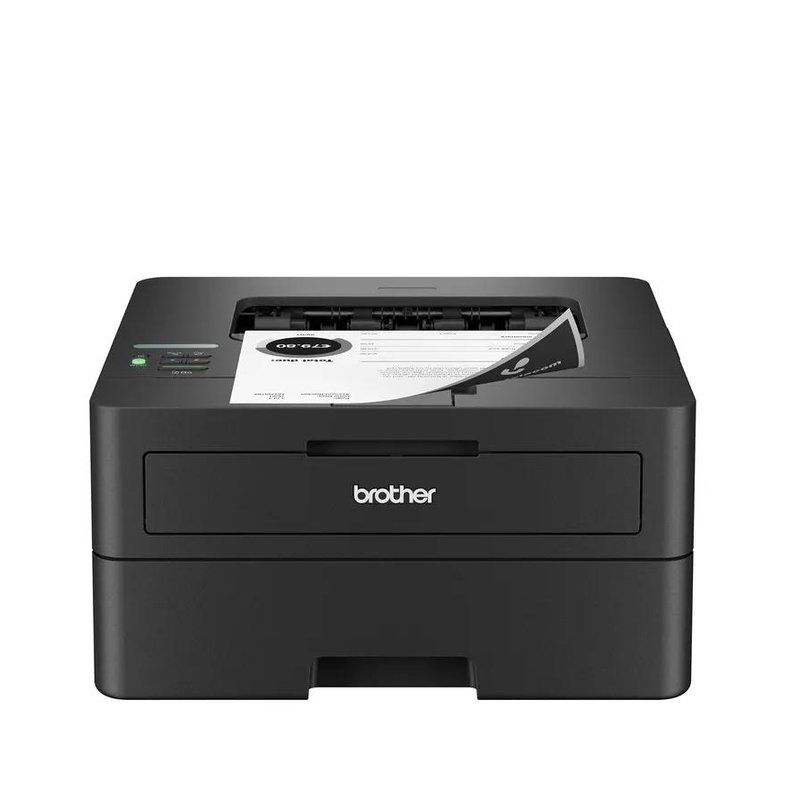
A laser printer does not spray liquid ink. Brother explains that it builds a pattern of static electricity on a drum, attracts a fine dry toner powder to it, then fuses that powder onto the paper with heat and pressure. HP describes toner as “a fine powder made from granulated plastics,” and says heat fixing makes the prints smudge-resistant.
That design leads to the three benefits most homes care about:
What the main sources say
- Lower cost per page: HP says lasers cost more upfront but less per page. Digital Trends puts a typical mono laser page at 2 to 3 cents, against about 7 cents for black text from standard inkjet cartridges.
- No dried-out ink: HP says toner “doesn’t dry out over time,” and TechRadar says you can leave a laser “for months between print jobs with no problem.”
- Reliability: Consumer Reports, drawing on members’ reports about 69,886 printers, says lasers are more reliable than inkjets.
- Sharp text: HP credits lasers with “sharp, crisp text and clean lines,” though PCWorld found standard-size text similar on both types, with lasers ahead on small fonts.
Speed is a bonus rather than the main reason. HP says lasers often print 20 to 40 pages per minute, versus an average of 5 to 15 for inkjets. For a ten-page school report, that is the difference between waiting and not waiting.
When a laser printer is not worth it
The same sources are just as clear about where lasers fall short. These are the situations where you are likely to be happier with an inkjet or an ink tank printer:
- You print photos. HP says inkjets are better for photos and can print on glossy photo paper. Consumer Reports says lasers “don’t perform as well as inkjets when printing graphics and photos.”
- You want the lowest upfront cost. Brother USA says “inkjet costs less upfront,” and NBC Select notes that lasers cost more to buy.
- Space is tight. Brother USA says lasers are “generally larger than their inkjet counterparts,” and Tom’s Guide says laser all-in-ones “tend to be larger and heavier.”
- You rarely print, and you need color. Digital Trends says that if you print color but not often, “a low-cost inkjet could be the right choice.”
Energy use is a smaller point. TechRadar says lasers “also use more energy” because they generate heat. Sleep-mode figures on spec pages are low, though: HP lists the LaserJet M209dw at 0.5 W asleep.
A quick test: does your printing fit a laser?
Match the way you print today to the type of printer the sources recommend for it.
| What you mostly print | Better fit | Why |
|---|---|---|
| Black text: letters, forms, homework | Mono laser | Low cost per page and toner that does not dry out (HP, Digital Trends) |
| A few pages a month, black only | Mono laser | Can sit idle without dried ink (TechRadar, NBC Select) |
| Charts and color documents | Color laser or inkjet | Color laser pages cost about 12 to 18 cents each (Digital Trends) |
| Photos on glossy paper | Inkjet | Lasers are “not always built to handle photo printing” (Tom’s Guide) |
| Lots of color, tight budget | Ink tank inkjet | Digital Trends says tanks bring ink costs down “to a fraction of a cent” |
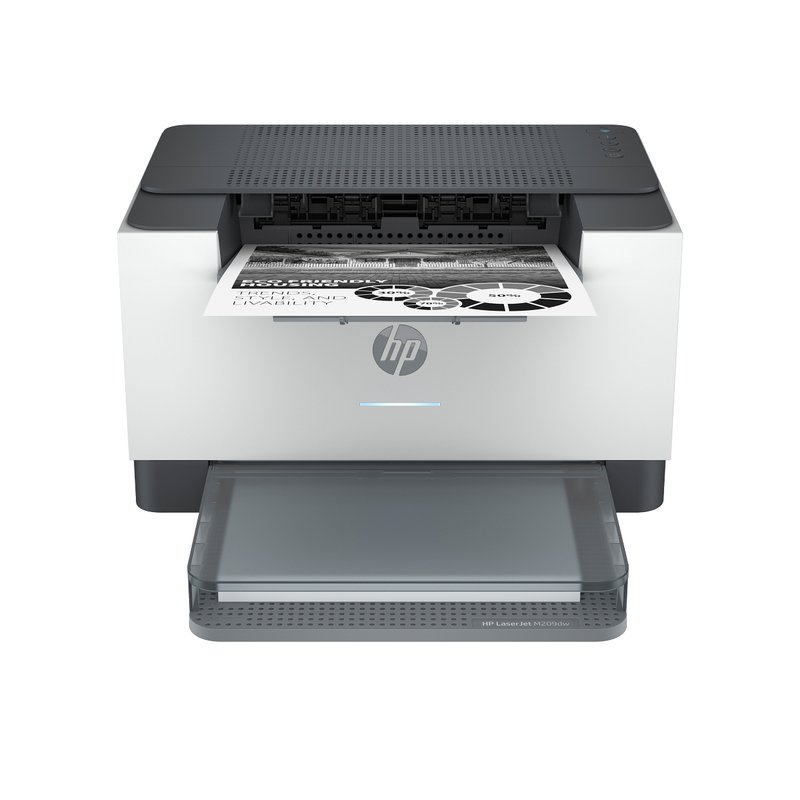
Small print-only option · Budget price range
HP LaserJet M209dw
HP lists automatic two-sided printing, up to 30 pages per minute, Wi-Fi plus Ethernet, and an HP 134X cartridge rated at about 2,400 pages. It has no screen and does not scan.
Check toner options ›If most of your rows land on “mono laser,” a laser is worth it for you. If photos or heavy color printing show up, read our guide to color laser printers for home before deciding, or consider an inkjet.
Hidden costs to check before you buy
A laser is cheap to run only if you know what you are signing up for. Check these four things on any model you shortlist:
- The in-box cartridge. HP says some printers ship with an introductory cartridge that “may print less” than a replacement. Brother lists the HL-L2460DW’s starter cartridge at about 700 pages, against 3,000 for the TN830XL.
- The drum. Brother says the toner cartridge and drum are separate parts, and “a single drum unit can last through multiple toner cartridges.” Brother rates the DR830 drum at about 15,000 pages.
- Cartridge rules. HP says the LaserJet M209dw is “intended to work only with cartridges that have a new or reused HP chip,” and that firmware updates may block cartridges that worked before.
- Optional plans. Brother’s Refresh subscription bills a flat monthly fee “whether you use it or not,” and Brother warns that subscription cartridges “may stop working upon cancellation.”
If you also scan and copy · Mid-range price range
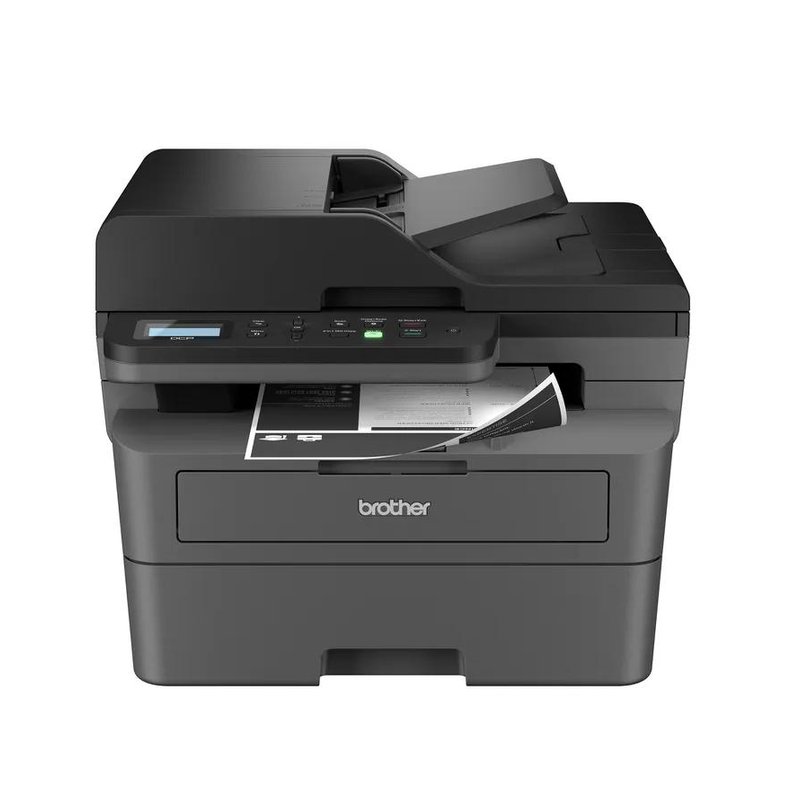
Brother DCP-L2640DW
Brother lists print, scan and copy with a 50-page document feeder, up to 36 pages per minute, automatic two-sided printing, and Ethernet plus dual-band Wi-Fi. There is no fax.
See details ›Older HP “e” models are a special case. TechRadar reported in 2024 that HP stopped selling LaserJets with HP+, which require an HP account, an internet connection and original HP toner. Check the model code before buying a used printer.
Honest note
A laser will not make sense if you print photos, and it costs more to buy than a basic inkjet. Lasers are also bulkier: Brother lists the HL-L2460DW at 15.6 lb, and the all-in-one models are heavier still. If you print only a handful of color pages a year, the savings may never add up.
Questions people ask
Is a laser printer cheaper to run than an inkjet?
Usually, for black text. Digital Trends puts a typical mono laser page at 2 to 3 cents and standard inkjet black at about 7 cents. Ink tank printers are the exception: Digital Trends says their bottles bring costs down to a fraction of a cent.
Is a laser printer good if I rarely print?
Yes, for black text. HP says toner does not dry out over time, and TechRadar says you can leave a laser for months between print jobs. Inkjet ink, by contrast, can dry out when the printer sits unused, as HP and Brother UK both note.
Can a laser printer print photos?
Not well. Consumer Reports says lasers do not perform as well as inkjets on graphics and photos, and Tom’s Guide says lasers often need special laser-compatible photo paper. If you print photos often, an inkjet photo printer is the better tool.
Do laser printers last longer than inkjets?
Consumer Reports says its member surveys consistently show lasers are more reliable than inkjets. Its predicted-reliability score measures the chance a new model keeps working well for at least four years, which is a survey threshold, not a promised lifespan.
Do I need a color laser printer at home?
Most homes do not. Digital Trends puts a color laser page at about 12 to 18 cents, several times the cost of a black page. Choose color only if you regularly print charts, school projects or flyers in color.
Read first: best home laser printer · black and white laser printers
Sources: HP: Laser vs inkjet printers · Brother USA: Inkjet vs laser printers · Consumer Reports: Most and least reliable printer brands · Digital Trends: Most economical printer type · TechRadar: Best laser printers · NBC Select: Inkjet vs laser printers
Specifications, toner yields and features are each manufacturer’s own figures and can change between production runs. Check the product page and the manufacturer’s guide before you buy.